 Canva app · In development
 A compliant nutrition panel, generated in Canva.
Enter your amounts once and Nutrition Facts Label Maker builds a clean FDA or EU panel straight into your design, with the rounding, % Daily Values, energy and salt worked out for you. No spreadsheet, no external generator, nothing to redraw.
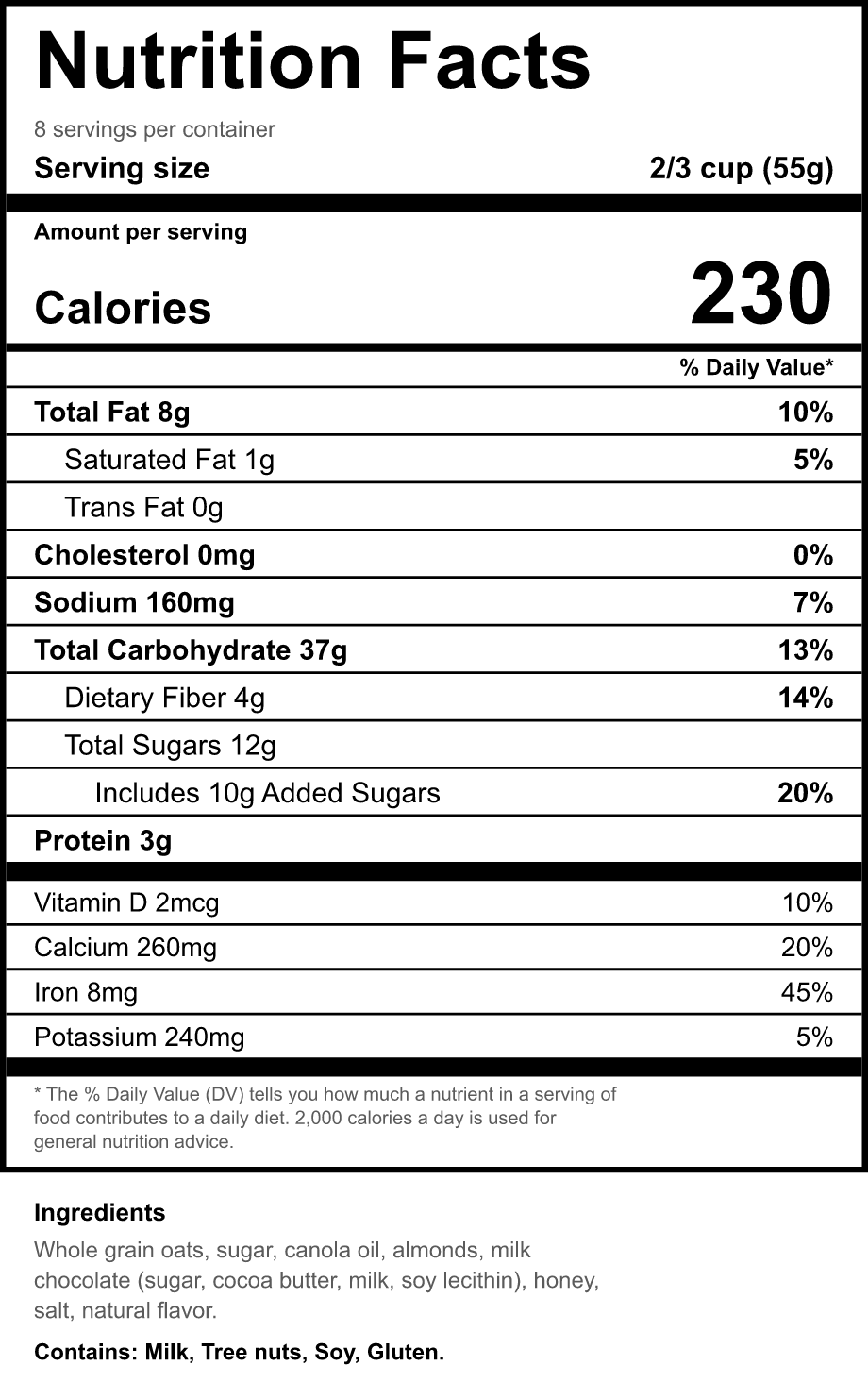
For makers who put food in a box.
Home bakers, cottage food sellers, meal-prep and packaged-goods makers already design their labels in Canva, then leave to a separate generator to get the panel right. Nutrition Facts Label Maker keeps that step inside Canva: the fiddly, exacting part is done for you, so you spend the time on the packaging, not the arithmetic.
US panel, EU table, or the tabular layout.
Every format is computed from the amounts you enter and inserted as editable text and shapes, so you can recolour, resize and restyle any part after it lands.
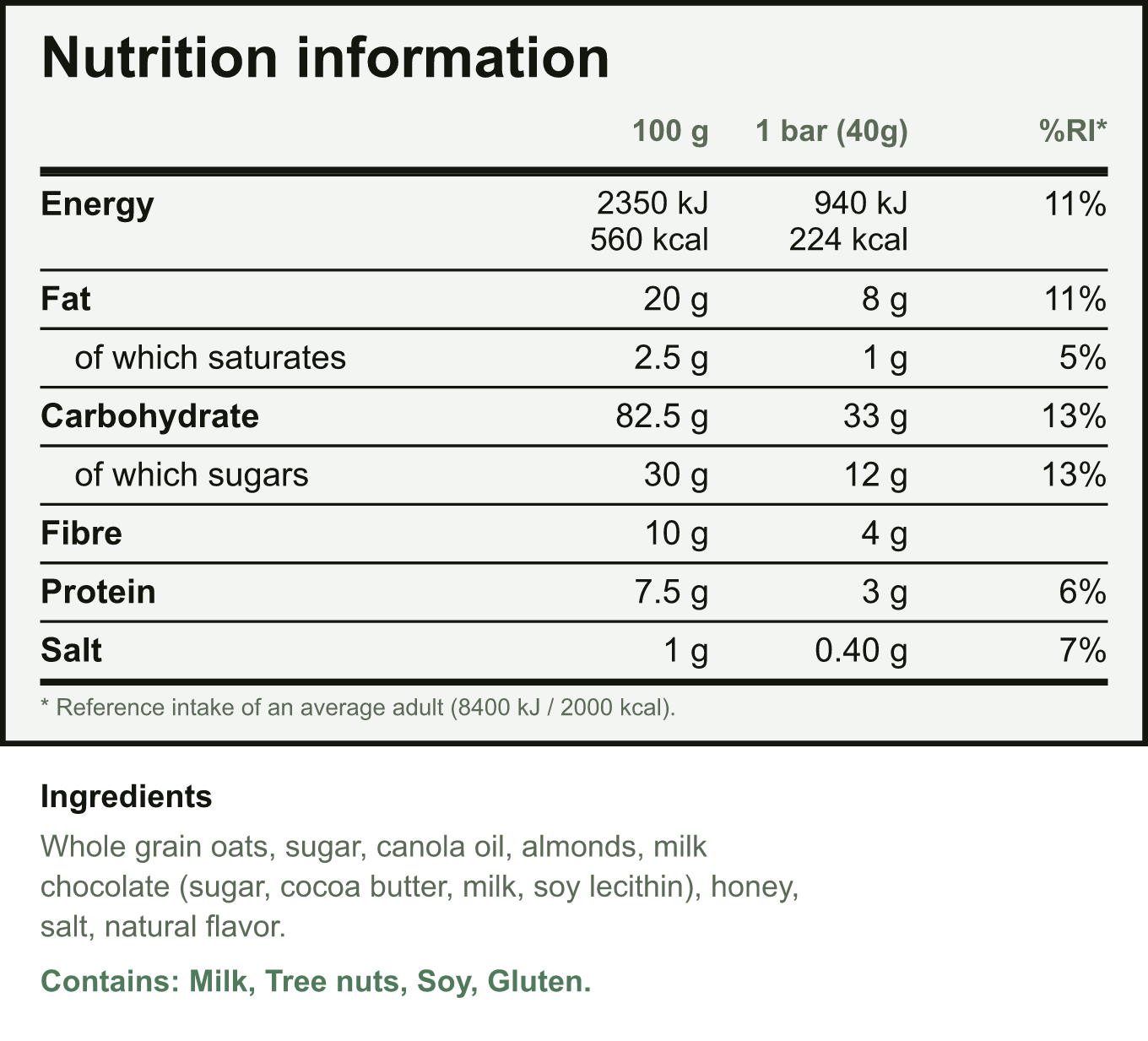
The EU table, done to the letter.
Values per 100 g or 100 ml in the mandatory order, energy in both kJ and kcal, and salt derived from sodium. Add a per-portion column and the % reference intake when you need them.
- Energy computed from the EU conversion factors
- Salt worked out as sodium times 2.5
- Optional per-portion and % reference intake columns
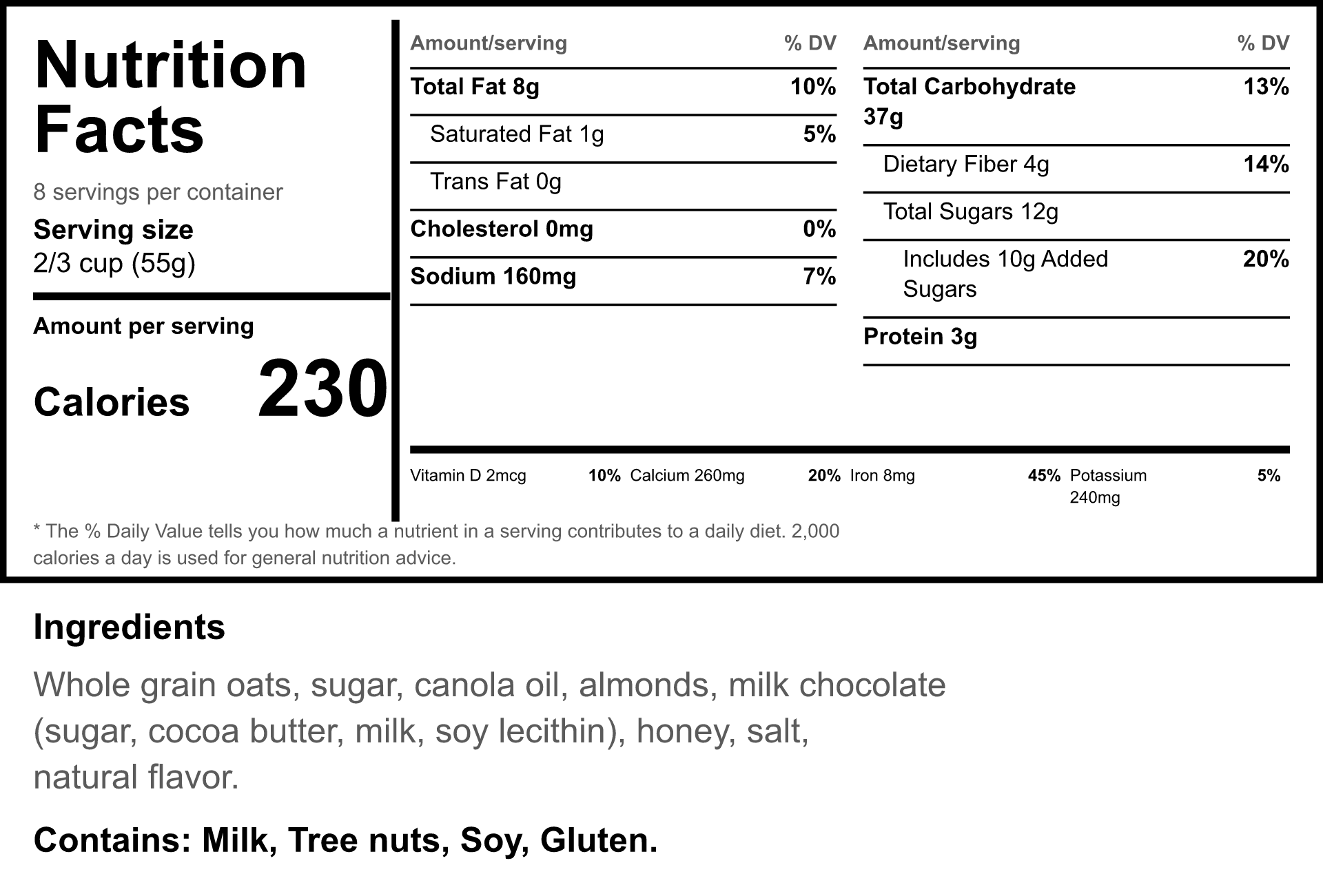
The layout your package needs.
The standard vertical Nutrition Facts panel for most labels, and a horizontal tabular version for wide or small packages where an upright panel will not fit.
- Vertical panel, the format everyone recognises
- Tabular panel for tight or landscape packaging
- Same computed numbers, laid out to fit
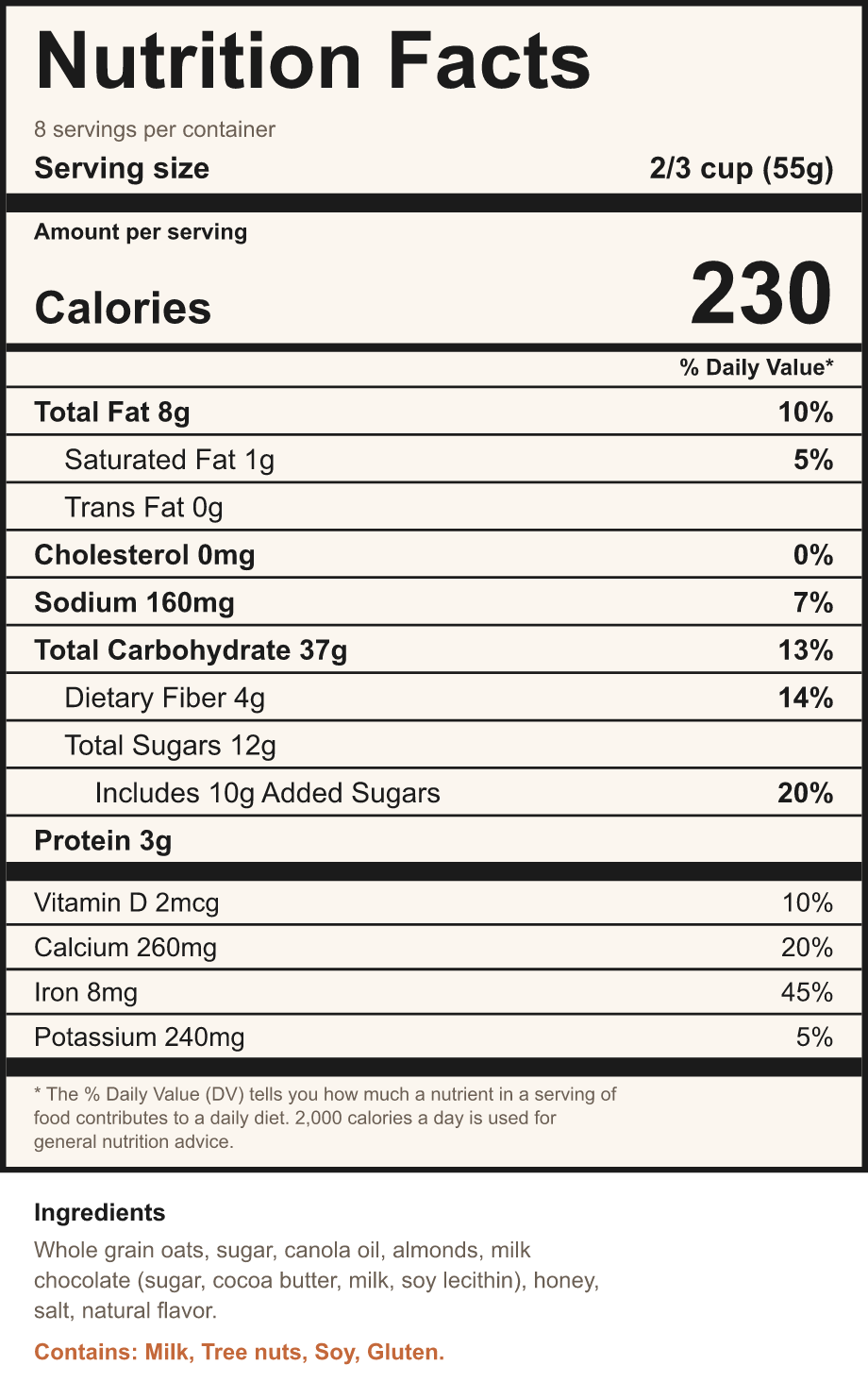
Match the brand, flag the allergens.
Paste your ingredient list and common allergens are detected and gathered into a bold Contains line, so nothing important gets missed. Four styles keep the panel legible while it sits in your design.
- Allergen detection across the EU 14 and FDA big nine
- A bold Contains statement, built for you
- Four tasteful styles that stay readable
Enter it, preview it, place it.
Enter your amounts
Type the per-serving values and your serving size. Pick the format, US or EU, and a style, then paste your ingredients.
Preview it live
The panel updates as you type, with the rounding, % Daily Values and salt already applied, so you see the finished label before it lands.
Add to design
One click drops it in as native Canva text and shapes, centred and scaled to the page, ready to restyle.
Deterministic maths. The rounding is the point.
The panel comes from the published FDA and EU rules, not a model. The same amounts always produce the same panel, the thresholds are exact, and your design never leaves Canva.
Correct by construction
FDA 21 CFR 101.9 rounding and % Daily Values on the 2016 Daily Values, computed to the threshold, so the panel reads right.
Editable after it lands
It is native Canva text and shapes, not a flat image. Move a line, recolour the accent, restyle the whole panel.
No cost per label
No AI in the loop and nothing to render on a server, so it stays fast and private however many labels you make.
Free for the core panels. Pro for the rest.
- US Nutrition Facts vertical panel
- EU nutrition table, per 100 g or 100 ml
- Allergen detection and Contains line
- Four styles, native editable insert
- Everything in Free, plus:
- Tabular Nutrition Facts format
- EU per-portion column
- EU % reference intake column
Before you add it.
Does this certify my label is compliant?
No. The app formats and calculates a panel from the amounts you enter, following the FDA and EU rounding rules. It does not verify or certify regulatory compliance. You stay responsible for the accuracy of your data and for meeting FDA, EU or local labeling rules.
Does it use AI?
No. The panel is generated from the published FDA and EU rules, so it is fast, private and consistent. The same amounts give the same panel every time, and nothing about your design is sent anywhere.
Can I edit the panel after it is added?
Yes. It lands as native Canva text and shapes, not a flat picture, so you can change colours, fonts, spacing and any single line right in Canva.
Which rules does it follow?
The US Nutrition Facts panel uses the 21 CFR 101.9 rounding rules and the 2016 Daily Values. The EU table follows Regulation 1169/2011: values per 100 g or 100 ml, energy in kJ and kcal, and salt derived from sodium.
What is free and what needs Pro?
The US vertical panel, the EU table, allergen detection and the four styles are free. Pro adds the tabular Nutrition Facts format and the EU per-portion and % reference intake columns.
When can I install it?
Nutrition Facts Label Maker is in development and heading to the Canva Apps Marketplace. This page goes live with the install link the moment it is approved.
Stop leaving Canva to build the panel.
Enter your amounts, pick FDA or EU, and drop a finished nutrition panel into your design.
Join the waitlistPart of the family
Nutrition Facts Label Maker joins Bracketeer as the design-and-content tools of Hewnpath in Canva, next to the audit tools for Figma and Webflow, HewnScan and Findable on Shopify, and Basecraft for Obsidian. Same discipline: do the tedious, exacting part correctly, so you do not have to.
Get the free FDA vs EU Nutrition Label Quick Reference
Enter your email and the download opens right away. You are also on the launch list, so we will email you when the Canva app goes live.
We store your email to do exactly this and nothing else. No cookies, no tracking, no sharing. Privacy Policy.
Download now