 Canva app · In development
 A whole tournament, generated in Canva.
Type your players or teams, pick a format, and Bracketeer lays out the entire bracket or schedule straight into your design. The seeding, the byes and the draw are worked out for you: no cells to draw, no lines to nudge, nothing to redo when the field changes.
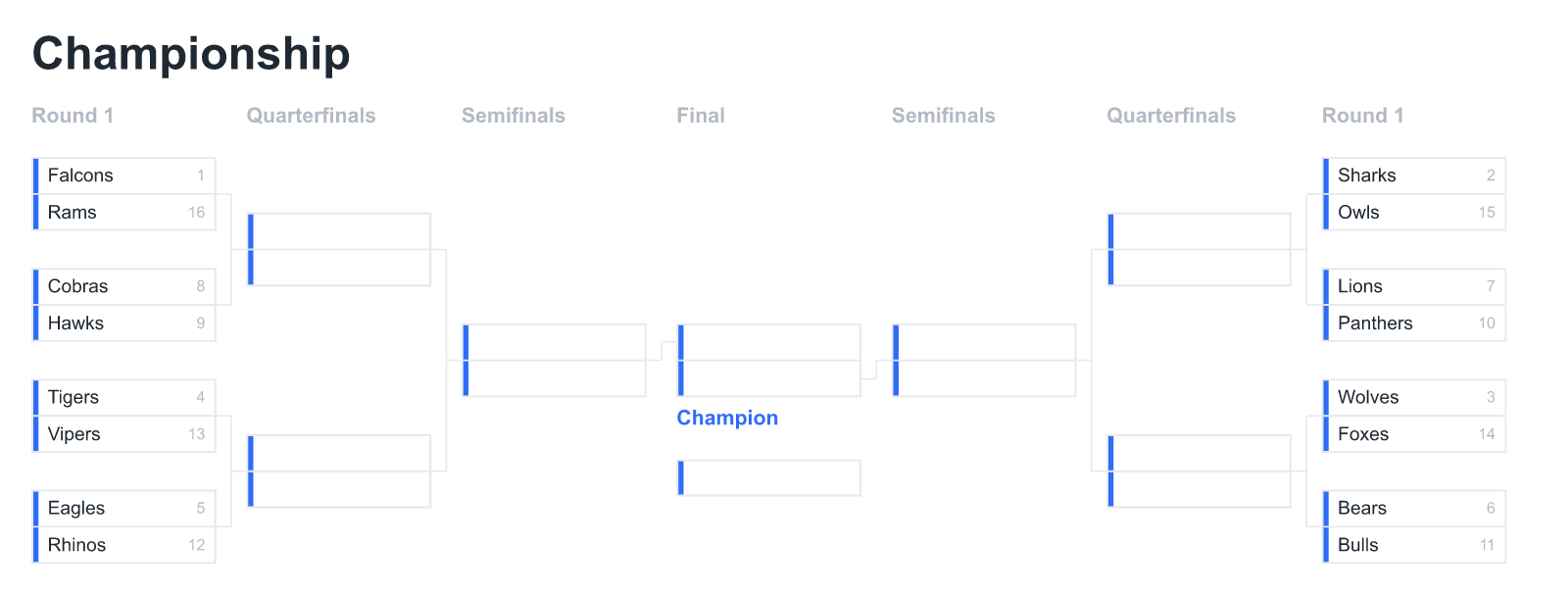
For anyone who runs a competition.
Sports clubs, esports and gaming communities, schools, offices and weekend leagues all need a bracket or a schedule that looks the part. Canva has templates, but filling one by hand across the connector lines, seeds and byes is slow and easy to get wrong. Bracketeer does the exacting part for you and drops the result in as editable elements.
Five ways to run it, one click each.
Every format is computed from the names you enter and inserted as editable text and shapes, so you can recolour, resize and restyle any part after it lands. Single elimination arrives as the centered championship layout you saw above.
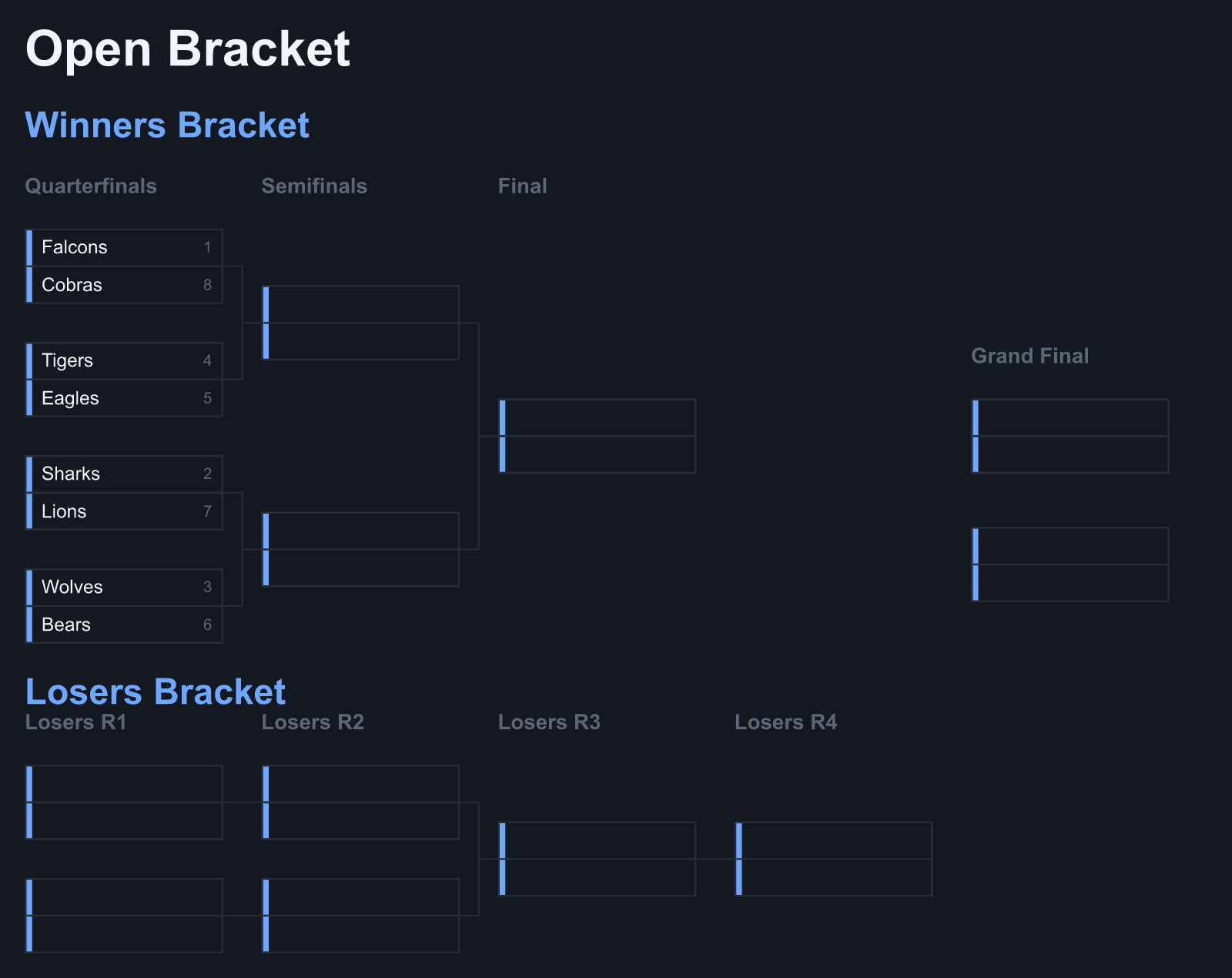
Winners, losers, grand final.
The format esports and gaming events run on. Bracketeer builds the winners bracket, the full losers bracket beneath it and the grand final, with the round counts and drop pattern correct at every size.
- Winners and losers brackets, laid out and connected
- Grand final with an optional bracket reset
- Automatic byes for fields that are not a power of two
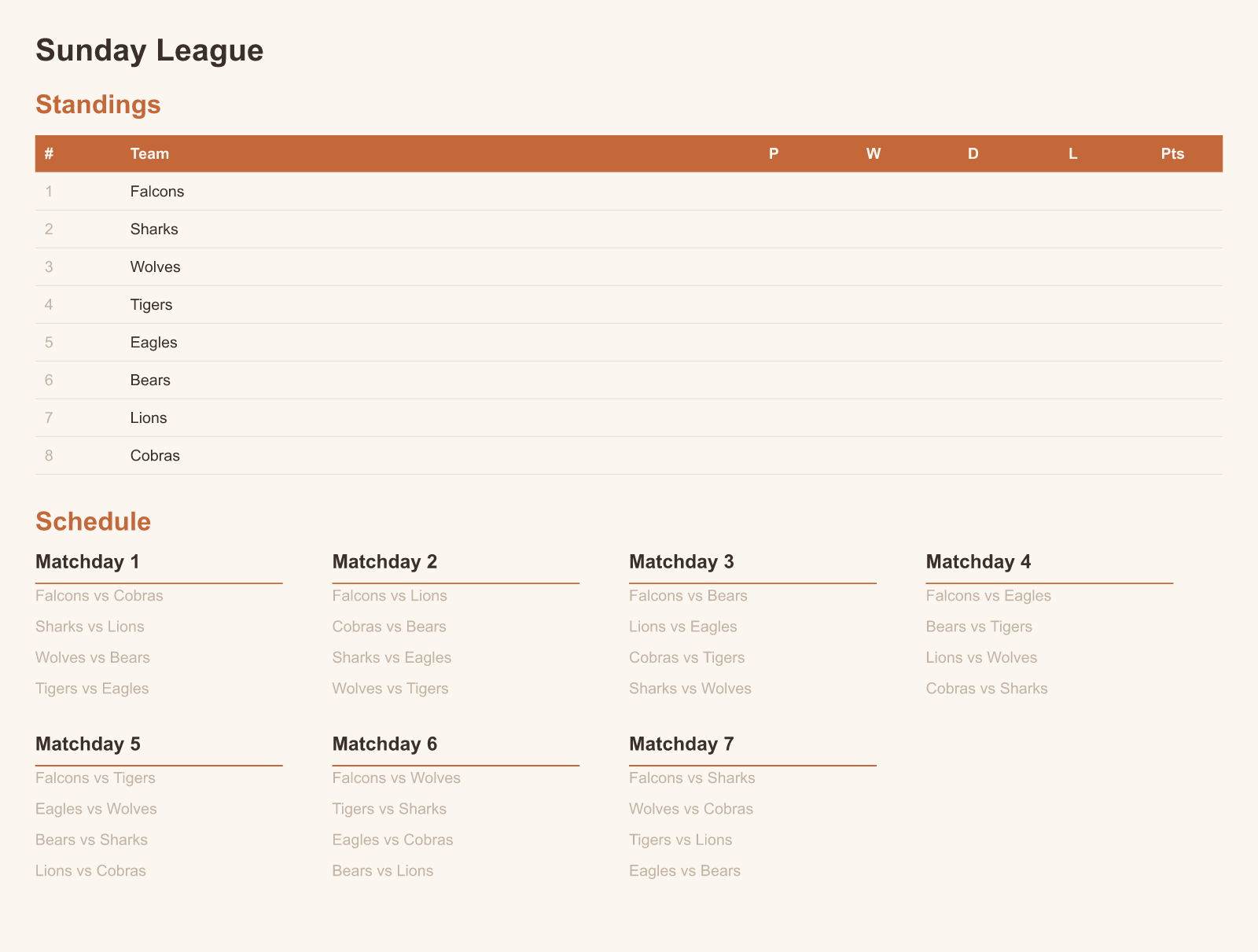
A league table and every matchday.
Everyone plays everyone. Bracketeer works out the fixtures with the circle method and lays out a standings table plus the full schedule, matchday by matchday, ready to fill in as results come in.
- Standings table with played, won, drawn, lost and points
- Every pairing scheduled exactly once, byes for odd fields
- Optional home and away for a double round robin
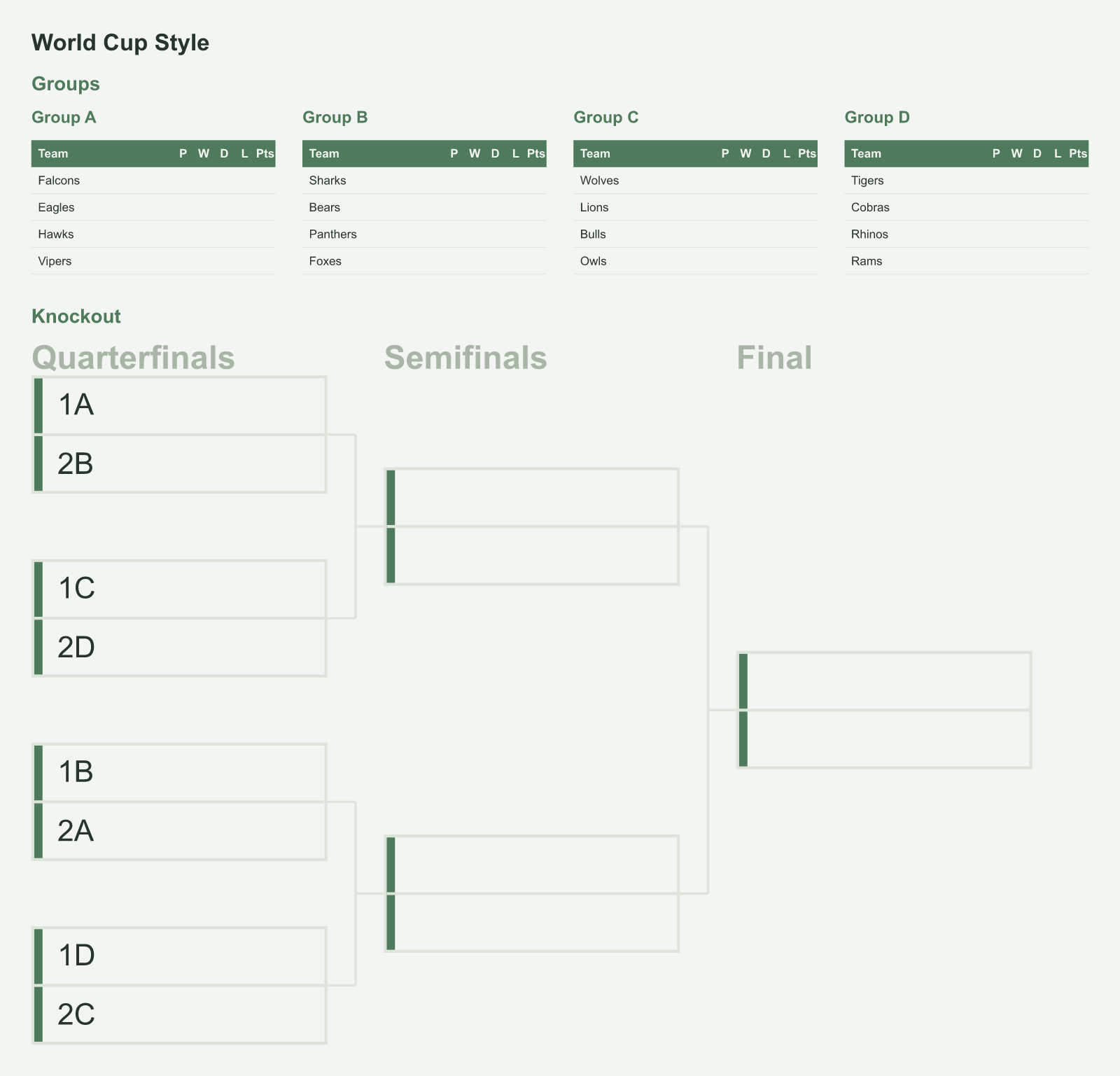
Group stage into a seeded bracket.
The World Cup shape: split the field into groups, each a round robin, then feed the qualifiers into a knockout with the winners crossed against other groups' runners-up. For chess and card events, the Swiss format gives round one pairings and score sheets.
- Group tables plus a cross-seeded knockout, 1A against 2B
- Choose the number of groups and who advances
- Swiss pairings and standings for as many rounds as you set
Type it, preview it, place it.
Enter the field
Type or paste your players or teams, one per line. Pick a format and a style, and set any options that appear.
Preview it live
The bracket updates as you type, with seeds, byes and the draw already applied, so you see the finished layout before it lands.
Add to design
One click drops it in as native Canva text and shapes, centred and scaled to the page, ready to restyle and print.
Deterministic draws. The seeding is the point.
The bracket comes from real tournament logic, not a model. The same field always produces the same draw, the seeding keeps the top two apart until the final, and your design never leaves Canva.
Correct by construction
Standard bracket seeding, automatic byes for odd fields, and the group draw crossed the way tournaments actually do it.
Editable after it lands
It is native Canva text and shapes, not a flat image. Move a box, recolour the accent, restyle the whole bracket.
No cost per bracket
No AI in the loop and nothing to render on a server, so it stays fast and private however many tournaments you run.
Free for single elimination. Pro for the rest.
- Single elimination, centered championship layout
- Seeds, automatic byes and a champion box
- All eight styles and an accent colour
- Native editable insert
- Everything in Free, plus:
- Double elimination with a grand final
- Round robin with standings and schedule
- Groups plus knockout, and the Swiss system
Before you add it.
What if my number of players is not a power of two?
Bracketeer adds byes automatically and gives them to the top seeds, so a field of 5, 11 or 23 lays out correctly with the right players advancing into the next round.
Can I set the seeding?
Yes. The order you enter names is used as the seeding, so the standard bracket keeps the top two apart until the final. You can also turn the seed numbers off if you want a blank draw.
Does it use AI?
No. The bracket is generated from real tournament logic, so it is fast, private and consistent. The same field gives the same draw every time, and nothing about your design is sent anywhere.
Can I edit the bracket after it is added?
Yes. It lands as native Canva text and shapes, not a flat picture, so you can change colours, fonts, spacing and any single box right in Canva, then print or share it.
What is free and what needs Pro?
Single elimination, with all eight styles, the accent colour and the editable native insert, is free. Pro adds double elimination, round robin, groups plus knockout, and the Swiss system, and comes with Canva Pro.
When can I install it?
Bracketeer is in development and heading to the Canva Apps Marketplace. This page goes live with the install link the moment it is approved.
Stop filling brackets in by hand.
Type your field, pick a format, and drop a finished tournament into your design.
Join the waitlistPart of the family
Bracketeer joins Nutrition Labels as the design-and-content tools of Hewnpath in Canva, next to the audit tools for Figma and Webflow, HewnScan and Findable on Shopify, and Basecraft for Obsidian. Same discipline: do the tedious, exacting part correctly, so you do not have to.
Get notified when Bracketeer launches
Leave your email and we will send you the link the day it goes live. That one message, and nothing else.
We store your email to do exactly this and nothing else. No cookies, no tracking, no sharing. Privacy Policy.
Download now