 Canva app · In development
 A whole family tree, generated in Canva.
Type your family as a simple indented outline, join a couple with a plus, mark each person's gender and dates in brackets, and Kinfold lays out the entire tree straight into your design, a colour coded avatar for everyone. The generations, the couples and the connectors are spaced for you: no boxes to nudge, no lines to align, nothing to redo when you add a cousin.
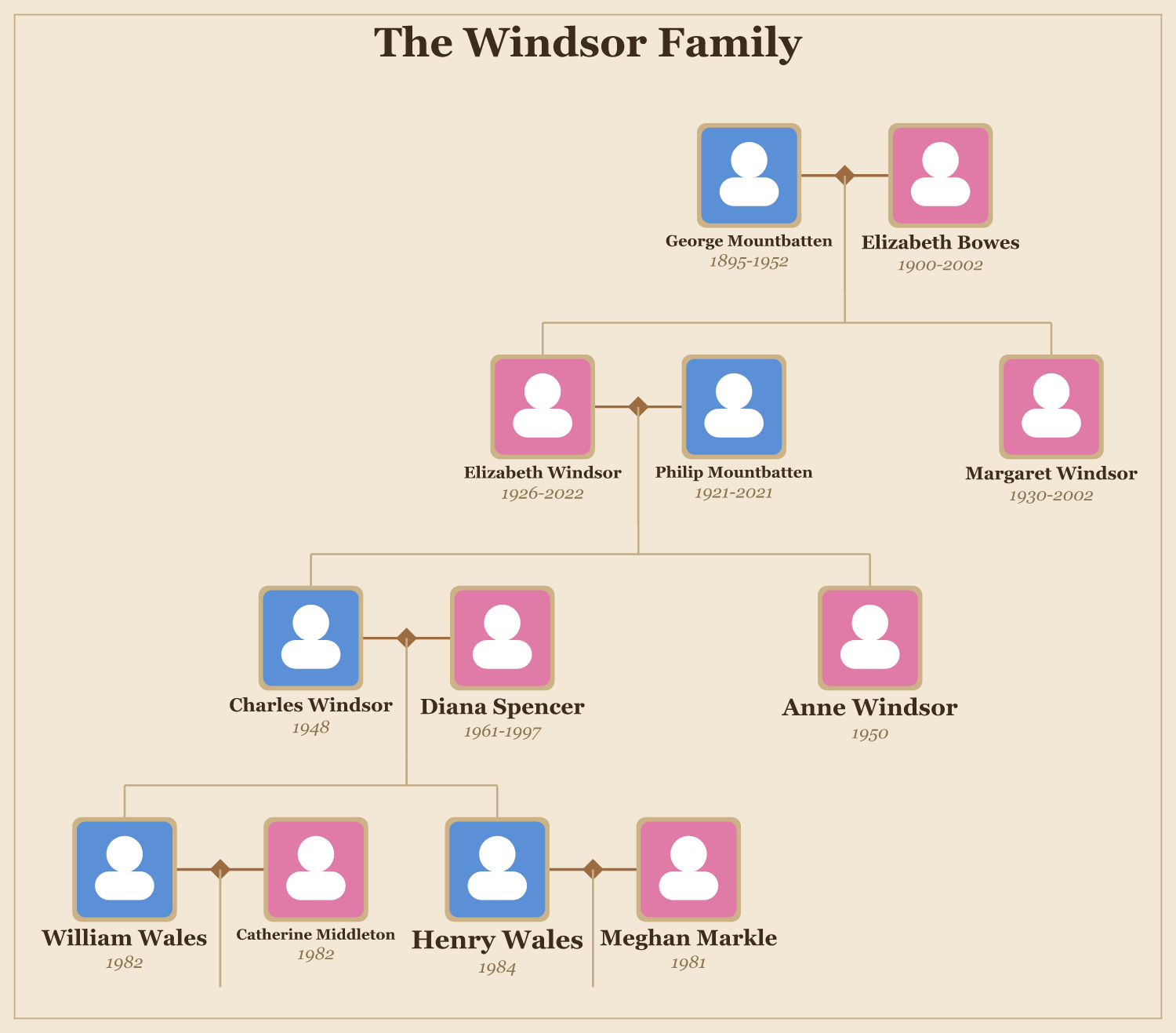
For anyone piecing a family together.
Genealogy hobbyists, family reunions, memorial cards, school projects and anniversary gifts all want a tree that looks the part. Canva has templates, but positioning every box and connector by hand, and re-spacing the whole thing when a branch grows, is slow and easy to get wrong. Kinfold does the exacting layout for you and drops the result in as editable elements.
Fourteen templates, and yours to tweak.
Start from a template that sets the whole mood: the typeface, the node shape, the borders, the background and the connectors move together. Then recolour it with one of twelve palettes, or take control of any part yourself. The same family can read as a formal heritage chart or a bright modern one, and the live preview updates as you type.
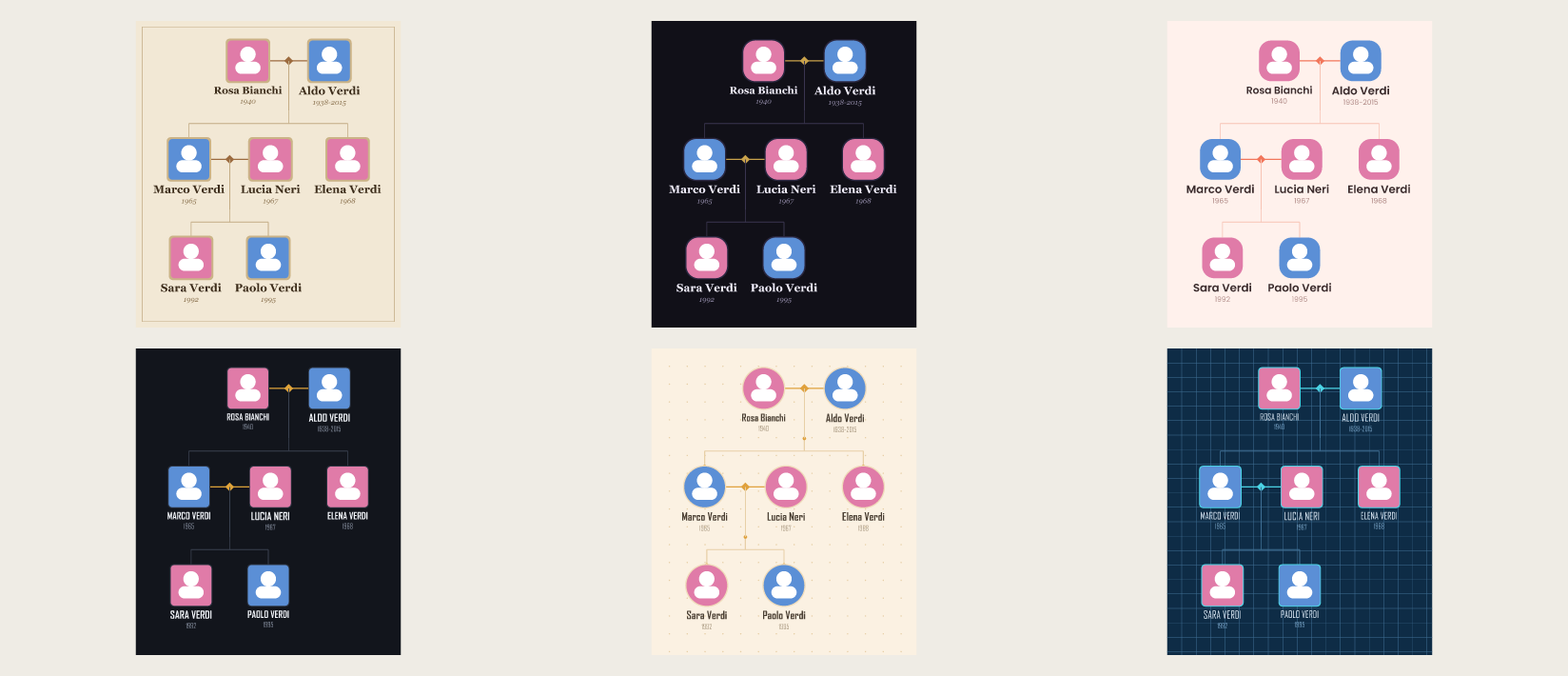
A look for every mood.
Heritage, Modern, Slate, Botanical, Playful, Blueprint, Newspaper, Midnight, Kraft, Coral, Ocean, Regal, Storybook, Corporate and Mono. One family, a different feeling each time, so the tree fits your deck instead of standing out from it.
- 14 templates and 12 recolour palettes
- Gender avatars, set the shape, borders, connectors and background
- Initials or silhouette, uppercase, dates on or off, and any Canva font
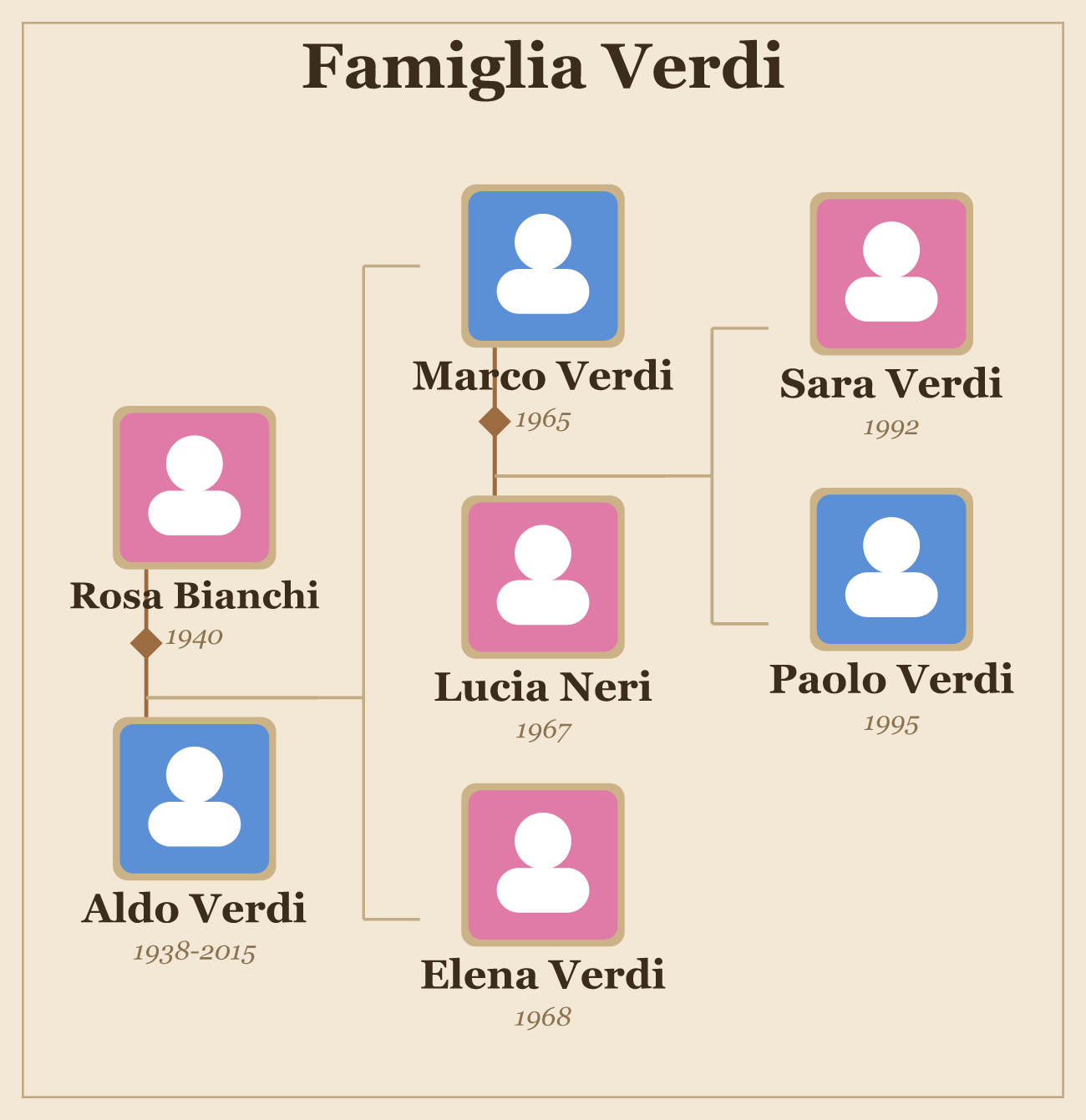
Top down, or left to right.
Top down is the classic poster shape, generations descending from the oldest couple. Left to right reads like a chart and suits a long, deep line of ancestors. Switch between them with one control and the whole tree re-spaces itself.
- Tidy spacing that never overlaps, at any family size
- Couples kept together, children centred under their parents
- Scales and centres itself to the page on insert
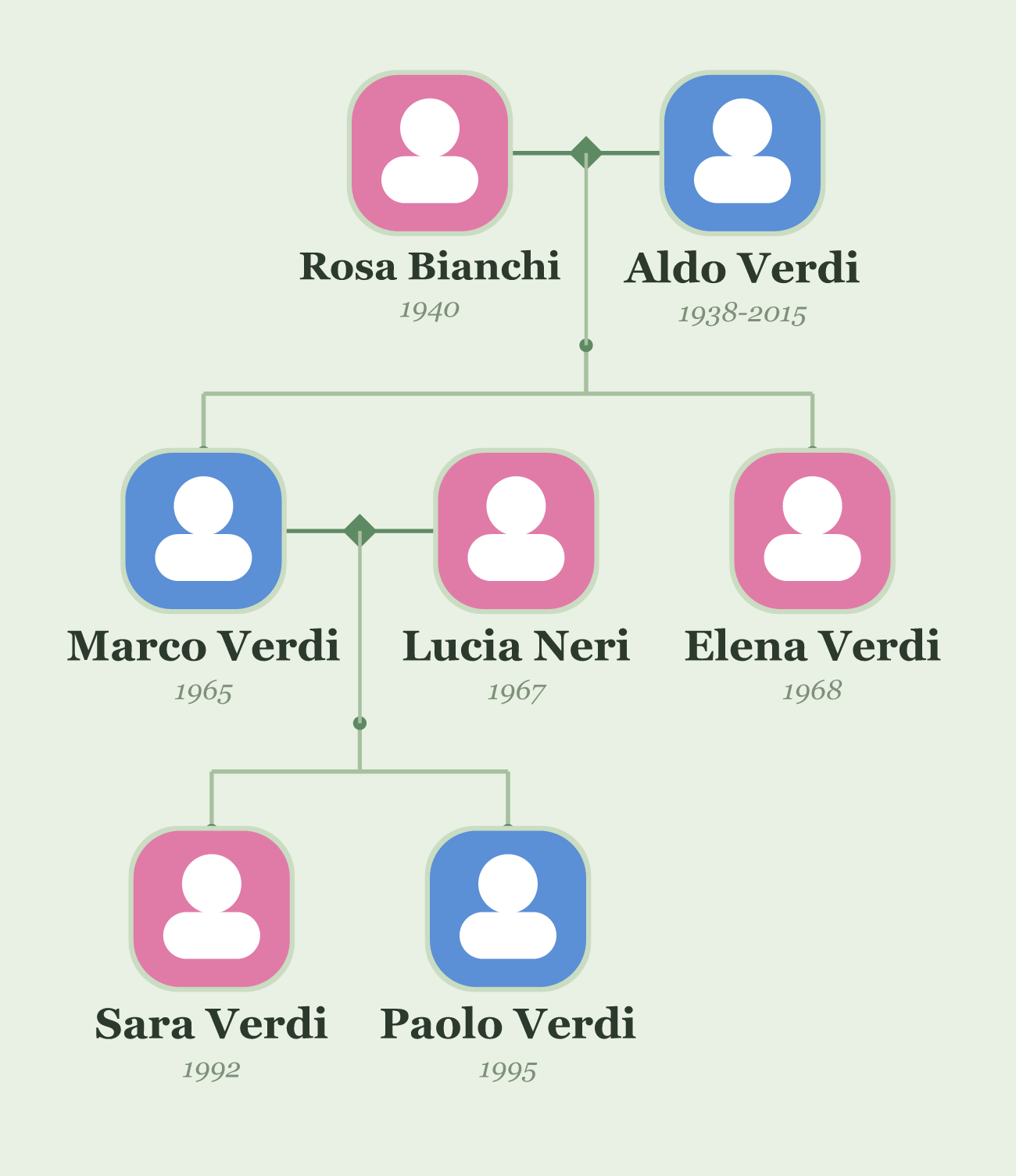
Indent for children, plus for a couple.
There is no fiddly form. Indent a line to make someone a child of the person above, join two people with a plus to make a couple, and put dates in brackets. That is the whole syntax, and it maps to a full tree.
- One outline, any number of generations
- Dates and short notes in brackets after a name
- Paste it in, watch the tree build as you go
Type it, preview it, place it.
Write the outline
Type or paste your family, indenting children under parents and joining couples with a plus. Pick a layout and a style.
Preview it live
The tree updates as you type, with couples, generations and connectors already spaced, so you see the finished layout before it lands.
Add to design
One click drops it in as native Canva text and shapes, centred and scaled to the page, ready to restyle and print.
Deterministic layout. The spacing is the point.
The tree comes from a real layout algorithm, not a model. The same outline always produces the same tree, subtrees never overlap, couples stay together, and your family never leaves Canva.
Correct by construction
Tidy generational spacing, couples kept as a unit, and children centred under their parents at any size.
Editable after it lands
It is native Canva text and shapes, not a flat image. Move a box, recolour the accent, restyle the whole tree.
Private by default
No AI in the loop and nothing sent to a server, so the names you enter stay in your editor, however big the family.
Free to start. Pro for every style.
- Top down layout, tidy at any size
- The Heritage and Modern templates
- An accent colour, name options and a title
- Native editable insert
- Everything in Free, plus:
- Twelve more templates and all twelve palettes
- Shape, border, connector, background and font control
- Left to right layout, and large trees
Before you add it.
How do I enter the family?
As an indented outline. Each line is a person, or a couple joined with a plus. Indent a line to make that person a child of the one above, and put dates or a short note in brackets after a name. That is the whole syntax.
How many generations can it handle?
As many as you like. The layout spaces every generation and never lets subtrees overlap. Very deep families get tall in the top down layout, so the left to right layout often reads better for long lines of ancestors.
Does it use AI?
No. The tree is generated from a real layout algorithm, so it is fast, private and consistent. The same outline gives the same tree every time, and nothing about your design or the names you enter is sent anywhere.
Can I edit the tree after it is added?
Yes. It lands as native Canva text and shapes, not a flat picture, so you can change colours, fonts, spacing and any single box right in Canva, then print or share it.
What is free and what needs Pro?
The top down layout with the Heritage and Modern templates, an accent colour, the name options and the editable native insert is free. Pro adds twelve more templates, all twelve palettes, full shape, border, connector, background and font control, the left to right layout and large trees, and comes with Canva Pro.
When can I install it?
Kinfold is in development and heading to the Canva Apps Marketplace. This page goes live with the install link the moment it is approved.
Stop nudging boxes into a family tree.
Type your family as an outline, pick a style, and drop a finished tree into your design.
Join the waitlistPart of the family
Kinfold joins Nutrition Labels and Bracketeer as the design-and-content tools of Hewnpath in Canva, next to the audit tools for Figma and Webflow, HewnScan and Findable on Shopify, and Basecraft for Obsidian. Same discipline: do the tedious, exacting part correctly, so you do not have to.
Get notified when Kinfold launches
Leave your email and we will send you the link the day it goes live. That one message, and nothing else.
We store your email to do exactly this and nothing else. No cookies, no tracking, no sharing. Privacy Policy.
Download now